Portfolio · AI / Worker documents
Onfile: every worker's documents, read and in order
Labour-migration agencies keep around 20 documents per person, in many languages and scripts. Onfile reads every scanned document, works out which worker it belongs to and shows what is missing or about to expire before anyone has to look.
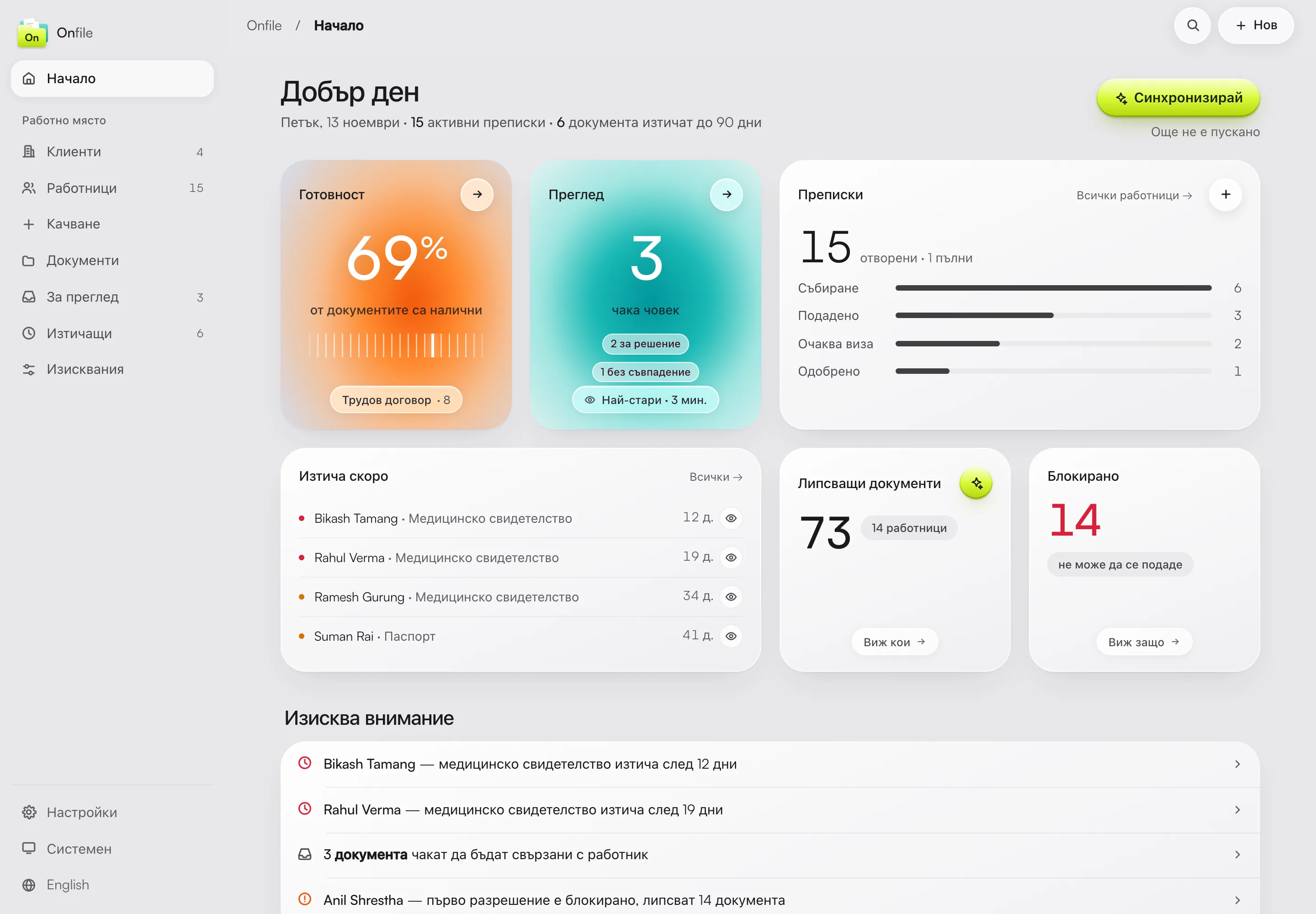
Every document read and linked to its worker
Missing documents per worker and client on one board
Expiring documents flagged with days to spare
Uncertain cases wait for a person instead of being guessed


Project details
- Client
- Labour-migration agency · own product
- Industry
- Labour migration · HR
- Services
- Custom software · AI document reading · OCR
- Year
- 2026
From one shared folder to a file for every worker.
The agency brings in workers from abroad and collects around 20 documents for each of them: passport, diplomas, medical certificates, contracts, permits. They arrive in different languages and scripts, as phone photos or scanned pages, and pile up in one shared Google Drive folder with file names nobody keeps consistent.
Answering "what is this person still missing?" meant opening the files one by one. We built Onfile together with the agency and ran it on its real folder: the system reads every document, files it under the right worker and checks that worker's file against the requirements for their case.
49
document types in 6 categories the system recognises
5
access levels, from viewer to owner
2,272
automated checks in the product's code
The document reads itself.
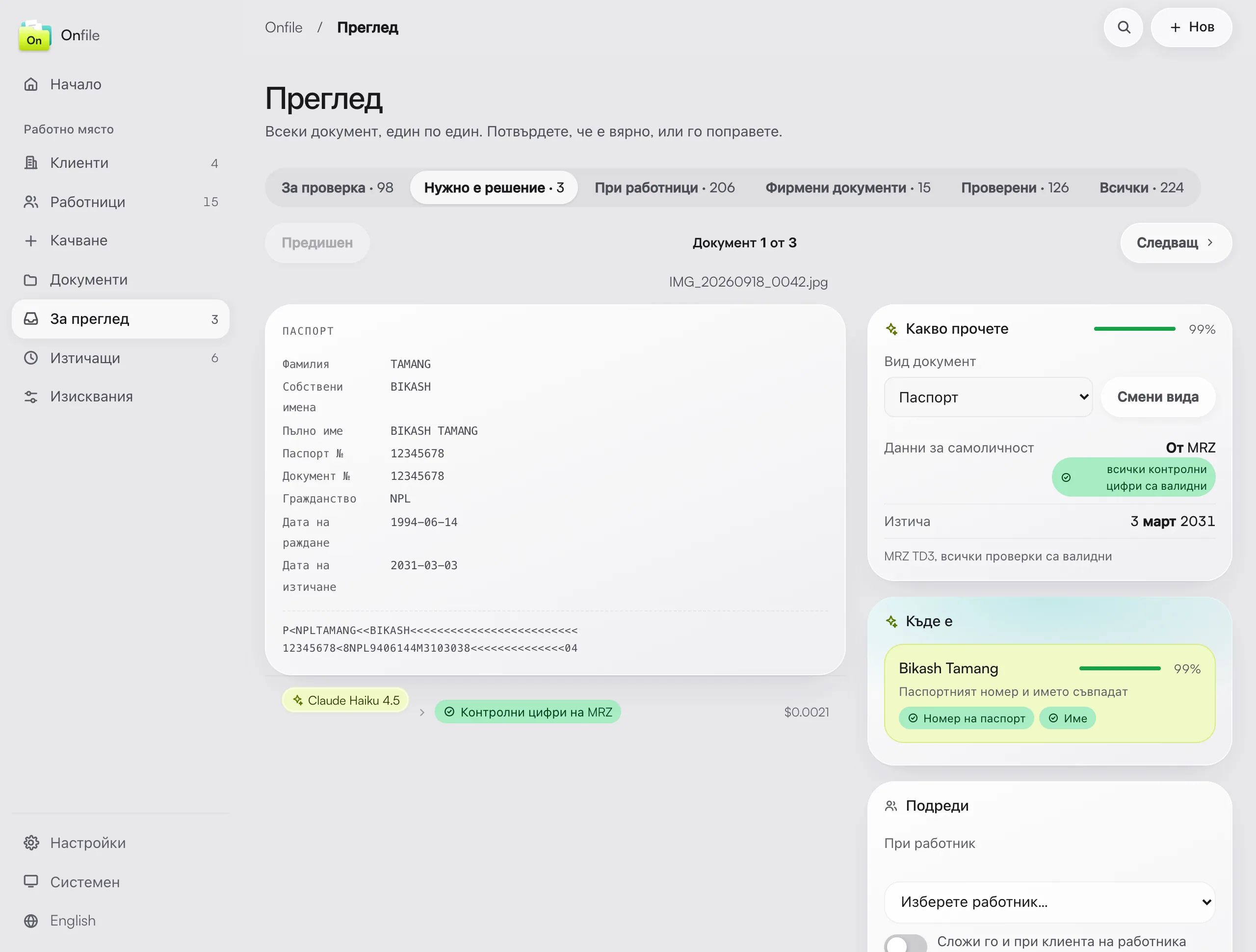
Reading happens in tiers. First the PDF's text layer and the passport's machine-readable zone, with its check digits verified, at no AI cost. Photos and scanned pages go to Claude, which extracts names, numbers and dates. Documents can be uploaded from a computer, photographed with a phone (the page is detected and straightened automatically) or synced straight from Google Drive.
Each document is then matched to a worker by passport number, date of birth and name. When the match isn't certain enough, it goes to the review queue, where a person decides in one click and sees why the system hesitated.
One system for the whole agency.
Around the worker files we built the agency's workspace: clients with their contract, monthly fee and payments, company papers, the review queue, an expiring-documents list, a trash bin and an audit trail of every action. AI spending is visible per call and exports to CSV.
Requirements aren't hard-coded. The list is edited on screen by type of worker, country of origin and client, with exceptions for a single client or person. Sign-in is by password, Google or an emailed link, the interface is in Bulgarian and English, and every employee sees only what their role allows.
See custom software →- Upload
- Phone scan
- Google Drive
- Reading
- Workers
- Clients
- Requirements
- Review
- Expiring
- Audit
A product, not a one-off project.
The rules are configured on screen, documents are kept in cloud storage, and the code is covered by more than 2,000 automated checks. A new requirement or document type is a setting, not a new project.
Reading
PDF text, passport MRZ, and Claude for photos and scans
Worker files
Every document in the right worker's file
Deadlines
Expiring and missing documents per worker and client
Control
Roles, audit trail and AI spending per call
- Python · FastAPI · PostgreSQL
- Claude AI
- Interface in Bulgarian and English
The results: before and after
Each worker's documents sit in one file, checked against the requirements for their case, and gaps and deadlines show up without opening a single file.
Before Onfile
One shared folder
- Around 20 documents per person, with no rule for file names
- Documents in many languages and scripts, as photos and scans
- Gaps found by opening the files one by one
- One shared Google Drive folder for every worker
With Onfile
A file for every worker
- Documents read and filed automatically
- Missing and expiring documents per worker and client on one board
- Uncertain matches wait for a person's review
- Every action kept in an audit trail
* Figures come from the product's code and automated tests, 2026. Screens show sample data.
More projects

Ready to see what your project could look like?
Get in touch with us today and let's build a digital strategy that will transform your business, together.